
Landing Page Designer: The Ultimate Guide to Creating Pages That Convert
Introduction
So, you’ve got a killer product or service — but nobody’s buying. Sound familiar? Here’s the truth: your landing page might be the problem. A skilled landing page designer can be the difference between a page that leaks leads and one that converts like crazy. Let’s dig in.
What Is a Landing Page Designer?
A landing page designer is a specialist who creates standalone web pages built with one goal in mind—getting visitors to take action. Whether that’s signing up, buying, downloading, or clicking, every pixel on that page is intentional.
Think of it like a sales rep who never sleeps. Your landing page works 24/7, and a great designer makes sure it’s doing its job every second.
Why Does Your Business Need One?
Conversion-Focused Design
Generic websites inform. Landing pages convert. A designer who specializes in landing pages understands the psychology behind why people click — and why they leave.
First Impressions Matter
You’ve got about 7 seconds to grab a visitor’s attention. A landing page designer knows exactly how to hook someone before they bounce. Color psychology, whitespace, typography — it all plays a role.
Key Skills of a Great Landing Page Designer
UX/UI Knowledge
A great designer doesn’t just make things look pretty. They think about the user journey. Where does the eye go first? What’s the natural scroll path? Is the CTA easy to find on mobile?
Copywriting Sensibility
Design and words go hand in hand. The best landing page designers don’t just arrange elements — they understand what to say and how to say it. Punchy headlines, scannable subheadings, benefit-driven bullet points — all part of the craft.
A/B Testing Mindset
Great designers don’t guess — they test. Changing a button color, tweaking a headline, or repositioning a form can dramatically shift conversion rates. A data-driven designer treats every page as an ongoing experiment.
Tools They Use
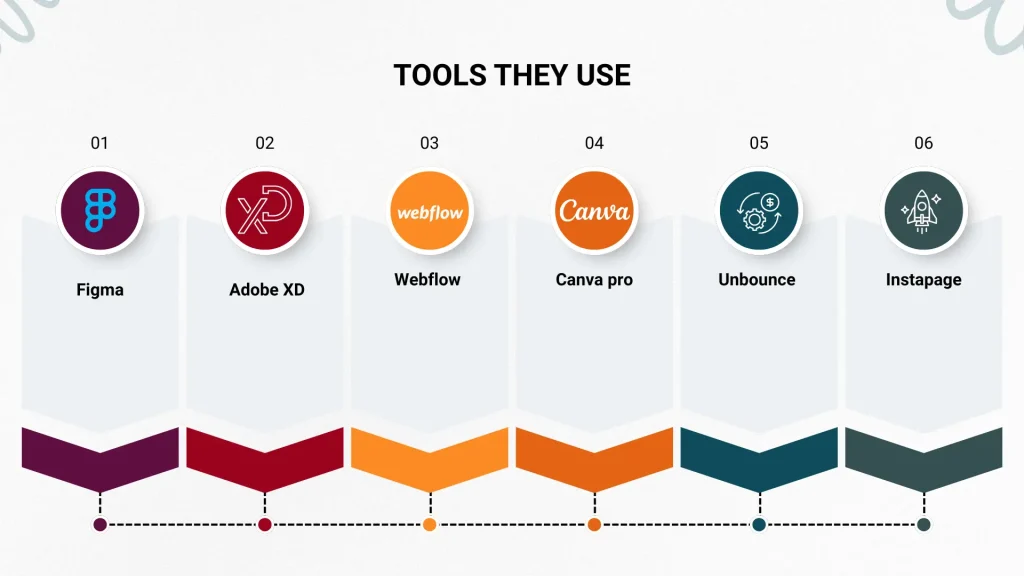
Top landing page designers typically work with tools like Figma, Adobe XD, Unbounce, Instapage, Webflow, and Canva Pro. Each serves a different purpose — from prototyping to publishing.
Elements of a High-Converting Landing Page
Compelling Headline
Your headline is the first thing people read — and often the last if it’s bad. A strong headline speaks directly to the visitor’s pain point or desire. “Stop Losing Leads” hits harder than “Welcome to Our Website.”
Strong CTA (Call to Action)
Your CTA is the moment of truth. “Get My Free Trial,” “Start Saving Today,” “Claim Your Spot” — these are action words that create urgency and clarity. A designer knows how to make the CTA pop without looking desperate.
Social Proof
People trust people. Testimonials, star ratings, case study snippets, logos of known clients — these elements build credibility fast. A landing page designer knows exactly where to place them for maximum trust-building impact.
Visual Hierarchy
Not all content is equal. A skilled designer uses size, contrast, and placement to guide the reader’s eye from headline → benefit → proof → CTA. It’s like choreography, but for your eyeballs.
DIY vs. Hiring a Landing Page Designer
Can you build your own landing page? Absolutely. Should you? That depends.
DIY tools like Wix, Squarespace, or Leadpages make it easier than ever to put something together. But there’s a big difference between a page that exists and a page that performs. If conversions matter (and they always do), hiring a professional designer is almost always worth the investment.
Think of it this way: you can cut your own hair, but do you really want to before a big interview?
Top Tools for Landing Page Design
Here’s a quick rundown of popular tools:
- Unbounce – Best for marketers who want flexibility without coding
- Webflow – Ideal for designers who want full creative control
- Figma – Perfect for prototyping and collaboration
- Instapage – Great for enterprise-level A/B testing
- Carrd – Lightweight and fast for simple, one-page sites
Each tool has its strengths. A seasoned designer will know which one fits your goals best.
Common Mistakes to Avoid
Even experienced teams make these blunders:
- Too many CTAs – Pick one goal per page. Period.
- Slow load times – Every extra second costs you conversions.
- Ignoring mobile – More than half your traffic is on phones.
- Cluttered design – Whitespace is your friend. Breathe.
No social proof – Don’t just tell people you’re great. Show them.
How to Choose the Right Landing Page Designer
When hiring, look for:
- A strong portfolio with measurable results (not just pretty pages)
- Experience in your industry or niche
- Knowledge of conversion rate optimization (CRO)
- Comfort with your preferred tools or platform
- Clear communication and revision process
Ask to see their conversion data, not just their Dribbble portfolio. Numbers don’t lie.
Conclusion
A talented landing page designer isn’t just someone who makes things look good — they’re a strategic partner in your business growth. From compelling headlines to trust-building social proof and conversion-optimized CTAs, every element they craft serves a purpose. Whether you hire a pro or level up your own skills, investing in quality landing page design is one of the smartest moves you can make for your business. Ready to stop leaving money on the table?
FAQs
What does a landing page designer do?
A landing page designer creates focused, single-goal web pages designed to convert visitors into leads or customers using strategic design, copy, and UX principles.
How much does it cost to hire a landing page designer?
Costs vary widely — from $300 for a freelancer to $5,000+ for an agency. It depends on complexity, experience, and whether copywriting is included.
What's the difference between a landing page and a homepage?
A homepage serves multiple purposes and audiences. A landing page has one goal and one audience — making it far more focused and conversion-driven.
How long does it take to design a landing page?
A simple page can be done in 1–3 days. A complex, fully tested page with custom design and copy may take 1–2 weeks.
Can I build a landing page without coding skills?
Yes! Tools like Unbounce, Instapage, and Carrd let you build professional landing pages with drag-and-drop editors — no coding required.

 by
by